
Page Plan
Finish every book on time.
Book club Thursday. Library book due back. Movie out next month. Add the book and the date, and Page Plan tells you how many pages a day to finish on time.

Free for iPhone and iPad. No ads, no account.
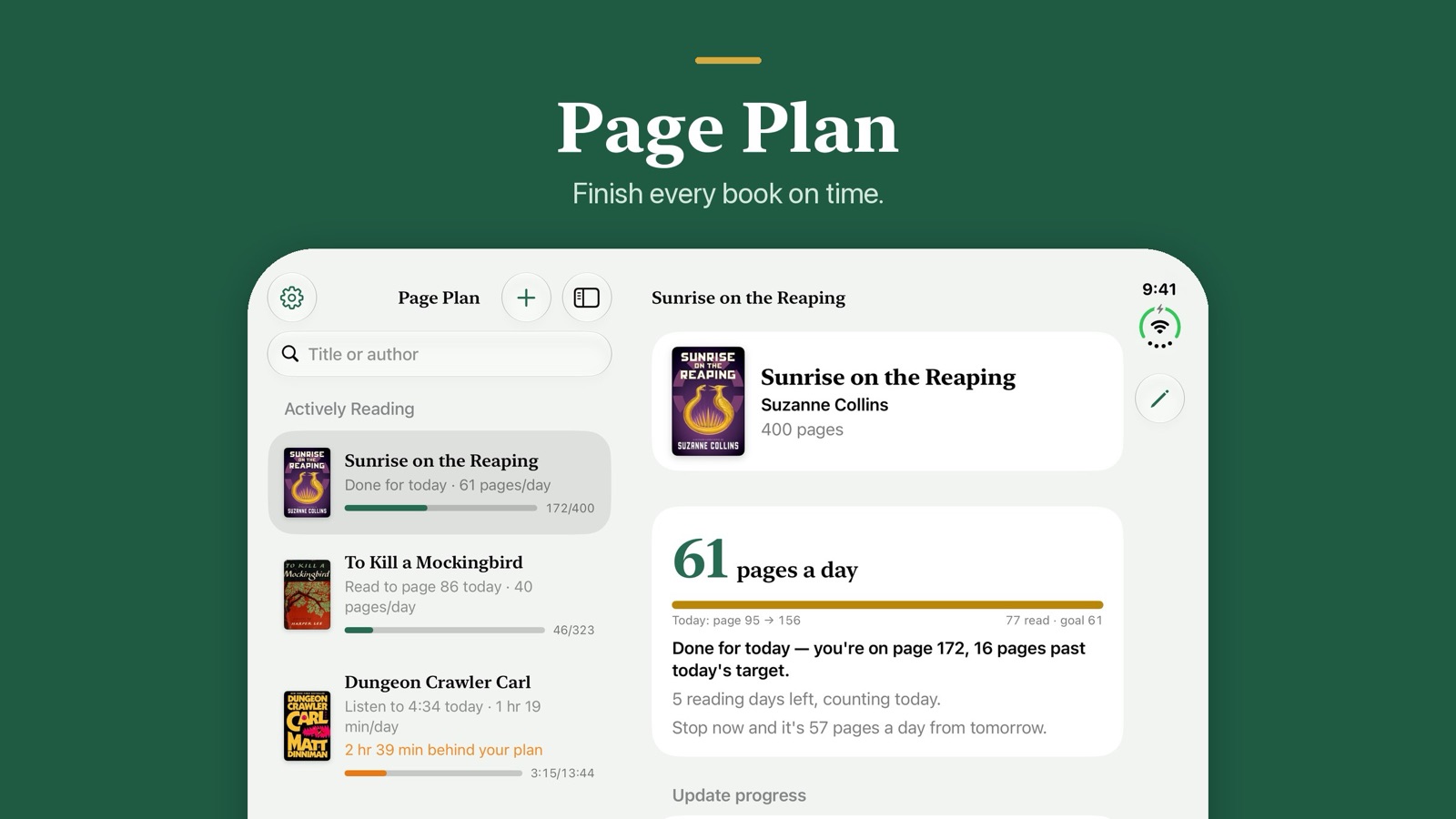
You have a date. Book club is Thursday. The library book is due back, and there's a waiting list behind you. The movie comes out next month. And you have a book you're partway through. Page Plan answers one question: how many pages a day do you need to read to finish on time? It gives you one number, and the page to reach tonight.
A note on who did what. Page Plan was built with Claude Code, Anthropic's AI coding tool, and Claude did the heavy lifting. It wrote essentially all of the code: the reading-plan math, the iPhone and iPad app, iCloud sync, book lookup, the daily reminder, and the widgets. It also made the App Store screenshots and drafted this page. My part was the idea, the decisions (who it's for, what "behind" and "ahead" should mean, audiobooks by time and e-books by percent), testing everything on my own iPhone and iPad with the books I'm actually reading, and the stories that are mine to tell. When this page says "I," that's me; most of the building was Claude. Jason Nassi
It started as Reading Pace Planner, then Reading Planner, until the iPhone Home Screen cut that to "ReadingPla…". So it became Page Plan.
Why it had to be built
I was doing this math by hand
I organize two book clubs, the Tahoe Book Club and the Denver chapter of the Tough Guy Book Club. For months, I'd been working out my reading plans by hand. Eventually I started asking Claude: Today is Sunday, the book is 323 pages, I'm on page 17, we meet Saturday. How much do I need to read each day to finish on time? Then I'd fall behind, and ask again.
Page Plan is that conversation, turned into an app anyone can use.
Reading apps track what you've read, not what's left
The reading apps I've tried are good at logging books and counting toward a yearly goal. None of them answers the deadline question: given today's date and the page I'm on, what do I read tonight? That's the only question I care about in the weeks and days leading up to the next book club meeting.
The math is simple until it isn't
Pages left divided by days left is one line. The details are what make it useful:
- Today counts. If it's 9 PM and you haven't read yet, today is still a reading day.
- Today's target holds still. It's set from where you started the day, so reading doesn't move the finish line while you're reading.
- It rounds up, so you never come up a page short on the last night.
- You finish the day before. By default the plan wraps up the day before the due date, so the meeting isn't your last reading day. One switch changes that.
- "Behind" means behind your original plan, not yesterday's. Miss three days and it shows all three.
What it does
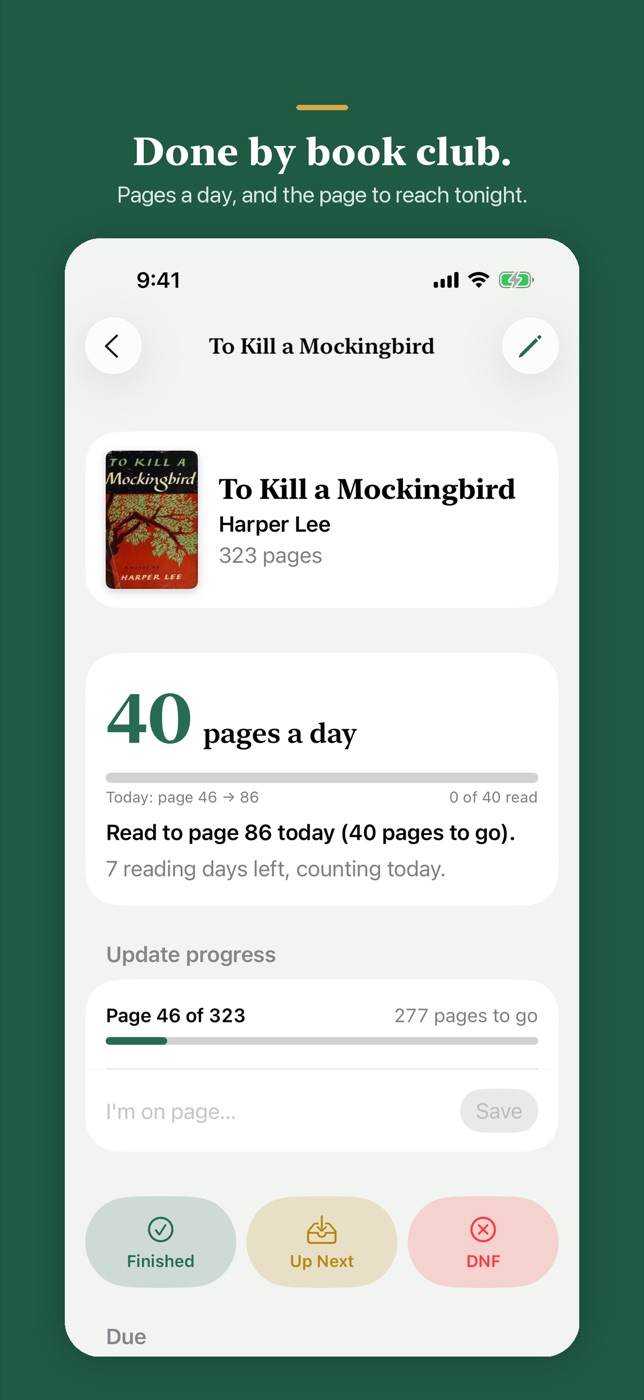
One number, and tonight's page
Add a book, the page you're on, and the date you need to be done. Page Plan shows pages a day in big type, and a bar for today: where you started, where to stop, and how far you've gotten. Log your page as you go, and the rest of the plan adjusts.
Behind? Ahead? It tells you
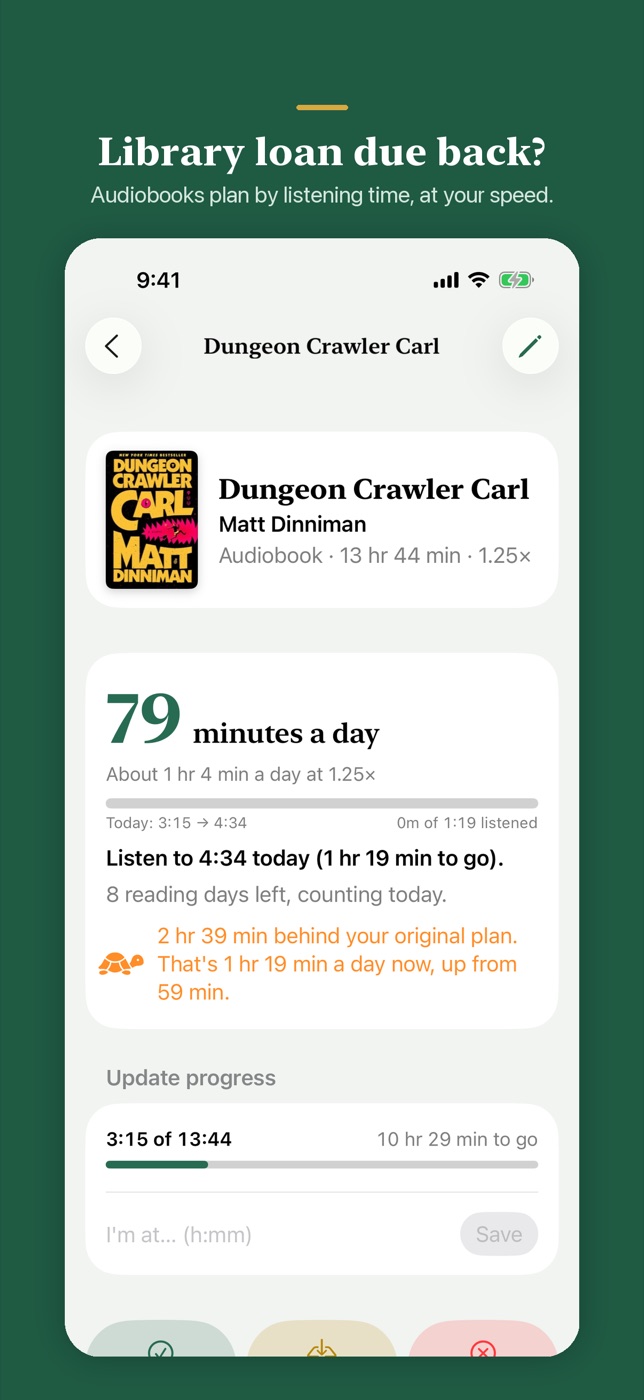
Fall more than a day behind your original plan and you get a tortoise and the cost of catching up: 94 pages behind your original plan. That's 45 a day now, up from 34. Get ahead and you get a hare instead. Reading past today's target lowers tomorrow's number, and Page Plan only mentions it when it actually changes.
Print, e-book, or audiobook
Every book has a format, and each one is planned in the units you actually see:
- Print: pages.
- E-book: percent complete, the number your e-reader shows. Read to 43% today.
- Audiobook: listening time, typed the way your audiobook app shows it (10:32 or 10h 32m). Set your listening speed and Page Plan shows the real time it takes: 18 minutes a day, about 12 at 1.5×.
Due today, or overdue
The due date itself shows as Due today, not overdue, since the meeting is today. After that, 3 days overdue, with Extend Due Date: pick a new date on a calendar and see the new pace before you save it.
A nudge at 7 PM
Turn on the daily reminder, pick a time, and you get one notification with what's left to read today, for every book. Already done for the day? It skips you.
Widgets
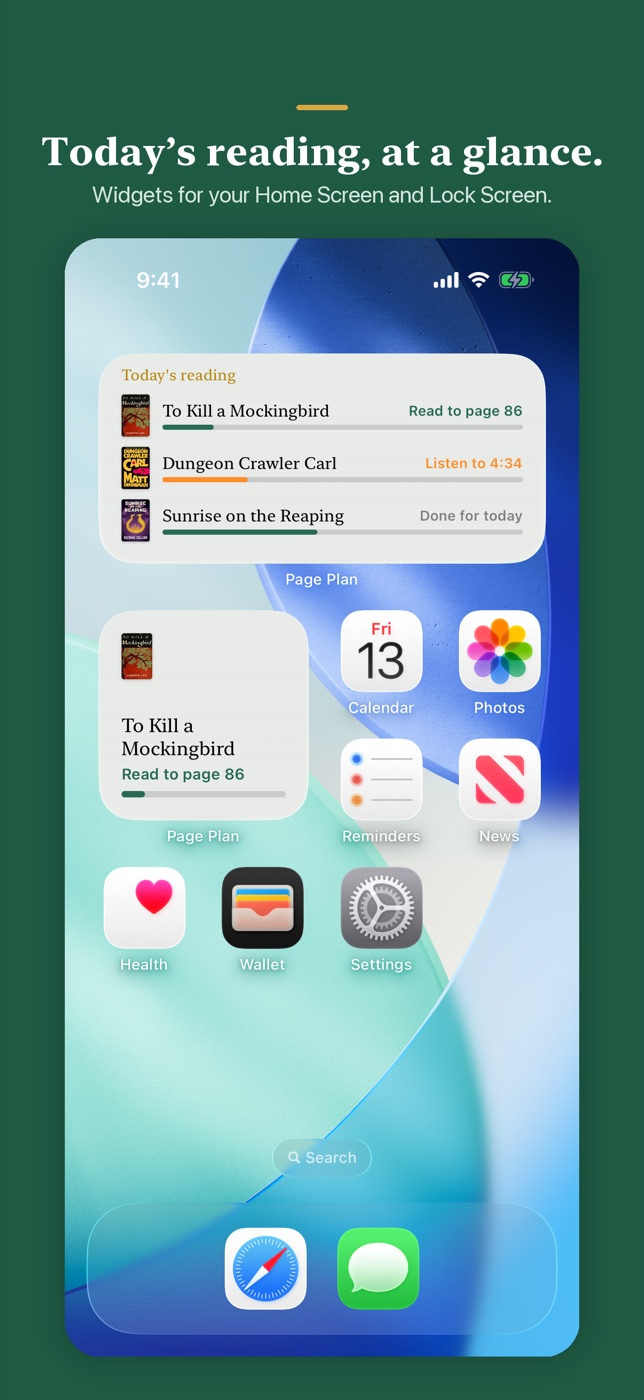
Today's Reading for the Home Screen and the Lock Screen: your most urgent book, or up to three, with today's target and a progress bar in each book's own units.
Look it up
Search by title or author to fill in the author, page count, and cover art. Page counts vary by edition, so check it against your copy.
iPhone, iPad, and the foldable
Your books sync between iPhone and iPad through your own iCloud. On iPad, and on an unfolded iPhone Duo, the list and the book sit side by side.
Private by design
No account, no ads, no tracking. Your books stay on your devices and in your own iCloud. On the App Store, Page Plan is labeled Data Not Collected. (Privacy policy)
How it works (the short version)
Page Plan is a native SwiftUI app. Your books live in SwiftData on the device and sync through your private iCloud database. There's no Page Plan server at all. The plan is worked out on the device every time you open a book. Book lookup asks Google Books directly from your phone, falling back to Open Library. The daily reminder is a notification scheduled on the device, and the widgets read the same data the app does.
What you need
- An iPhone or iPad on iOS 17 or later.
- iCloud, if you want your books on more than one device. Without it, everything still works on the one device.
- That's it. It's free.
Known limitations
- One format per book. If you read the Kindle edition at night and listen to the audiobook in the car, Page Plan can't track both on the same book yet.
- The reminder can be a step behind. It's scheduled on each device, so a page you log on your iPad reaches your iPhone's reminder once you open Page Plan on the iPhone.
- Page counts vary by edition. Lookup gives a starting point; your copy is the truth.
- Apple only, and English only. No Android, no web version.
- It's a personal project. It's my first iOS app, built for my own book clubs and opened up to anyone. Expect the occasional rough edge, and tell me when you find one.
Get it
Questions or ideas? Help and feedback.